 Blender
 Motion Builder
 3ds Max
Kimodo. NVIDIA's text-to-motion model.
10 generations a month on the free plan. No card. See pricing
Runs inside


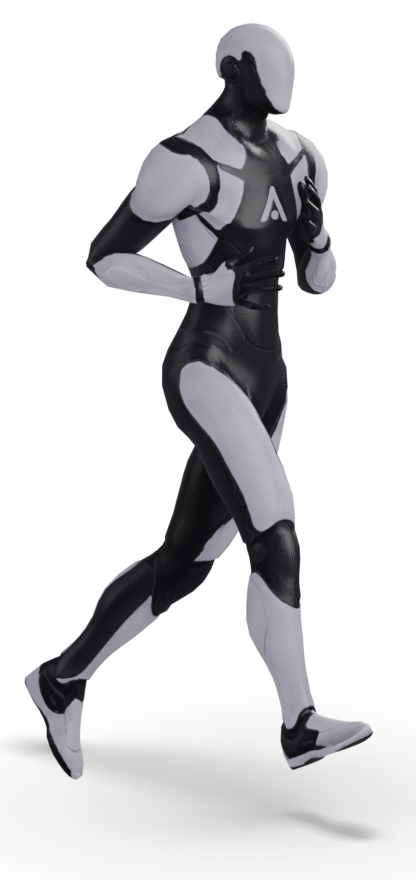
Kimodo is NVIDIA's text-to-motion model: describe an action, and it writes the motion as keyframes you can edit, at 30 frames a second. Key the poses that matter first and it generates around them rather than over them.
Animatica runs it in Blender, Motion Builder and 3ds Max, on the rig your character already uses. Generate on our GPUs, or self-host the Apache-2.0 backbone on your own machine over the open MMCP protocol. Same plugin either way.
- Trained by
- NVIDIA Spatial Intelligence Lab. Upstream research
- Type
- Kinematic motion diffusion. Scaling Controllable Human Motion Generation, March 2026
- Output
- 30-fps motion as editable keyframes on your rig, up to 10 seconds a prompt
- Canonical rig
- kimodo-soma-rp-v1.1, 30 joints, all of them within the 77 of the built-in SOMA rig
- Weights
- NVIDIA Open Model License, commercial use permitted
- Runs in
- Blender, Motion Builder, 3ds Max
- Self-hosting
- motionmcp-kimodo, Apache-2.0, over MMCP
- Training data
- 700 hours of optical mocap, NVIDIA's Bones Rigplay, which is not public. Outside Animatica's control: see the model index.
What Kimodo does.
- 01
Keys it has to hit
Pin the poses that matter. Kimodo generates the frames between them and leaves your keys where they are.
- 02
Places to reach
Put waypoints on the floor, each at a frame. Kimodo plans the walk between them, its own stride and its own speed.
- 03
Text to motion
Describe the action and get motion baked onto the rig you are working on.
Try it on a character of your own before you decide anything.
Get the pluginGetting it onto your rig.
Kimodo was trained on one skeleton: kimodo-soma-rp-v1.1, 30 joints, all of which sit inside the 77 of the SOMA rig the plugin builds. Your character is almost certainly on something else, and Ardy is on a 27-joint skeleton of its own again. No model is trained on your rig.
So send the rig you have. Its hierarchy goes with the request, the server retargets, and the motion arrives on your own joint names. Nothing in your scene is renamed and nothing is rebuilt. What happens to pins and paths on a retargeted rig is in the skeleton docs.
Will it keep the poses you set?
Yes, and it is worth knowing how well. Kimodo holds your keys as constraints as it generates. NVIDIA are blunt about the rest: the model by itself “will not exactly hit constraints” and can generate foot skating. A post-processing pass closes that gap, snapping the motion onto the constraints and locking the feet against the model's own contact predictions.
Two things follow from that, and they hold whoever runs the model. A handful of keys works better than a dense pass: past about twenty in one go the motion degrades, and constraints that contradict each other or the prompt get quietly ignored. And ten seconds is the ceiling for a single prompt.
What it cannot do, from NVIDIA's own model card: feet can slide when they should be planted, the motion does not always follow the prompt, the model knows nothing about the rest of your scene, and it cannot produce cartoon motion or motion that is not physically plausible.
Questions.
- What is Kimodo?
- A kinematic motion diffusion model from NVIDIA's Spatial Intelligence Lab, formerly the Toronto AI Lab. Give it a humanoid skeleton and a description of an action and it writes the motion, at 30 frames a second, as keyframes you can edit.
- Who made Kimodo, and did Animatica train it?
- NVIDIA trained it, on 700 hours of optical motion capture they hold privately. Animatica did not train the model: we built the plugins, the protocol and the hosted service around it. Our own commitments cover the models we train ourselves.
- Can I use Kimodo commercially?
- Yes. The weights are released under the NVIDIA Open Model License, which permits commercial use, and the code is Apache-2.0. On our side you own the motion you generate and may use it commercially on every plan, the free one included.
- Does Kimodo overwrite keyframes I have already set?
- No. The poses you set are constraints and the model fills the frames between them. Precision is the thing to read about rather than overwriting, and it has its own section above.
- How long can one generation be?
- Ten seconds per prompt.
- Does Kimodo work in Motion Builder and 3ds Max as well as Blender?
- Yes, through the Motion Builder and 3ds Max plugins, on the same account and the same monthly allowance as Blender.
Try Kimodo in your scene.
10 generations a month on the free plan. No card. See pricing