Docs / Panel reference / Motion Import
Motion Import
Card 02 — load motion from a file on disk instead of generating it. Opens in its own window, from the Animatica menu.
Loads motion from a file rather than generating it.
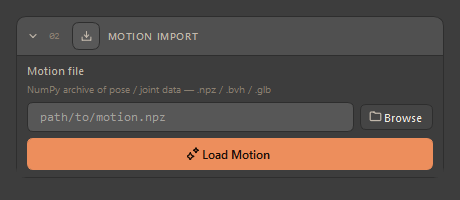
The card is not in the tool column, because the plugin is generation-first. It opens in a window of its own from Animatica ▸ Open Motion Import…, the way the Console and Settings do, and shares the tool window's state: the path you type here is the one the rest of the plugin reads, and the rig a loaded clip produces is the rig the Skeleton card then shows as ready. Closing the window hides it; the path is kept.
The Settings switch is inert here — Show Motion Import panel in Settings → Interface is shared with the other hosts, where the card sits inside the column. In 3ds Max the card is never in the column, so the switch changes nothing: open the window from the menu.
| Control | Description |
|---|---|
| Motion file + Browse | Path to the clip to load. The file chooser filters to .npz, .bvh, .glb and .gltf; the loader dispatches on the extension. |
| Load Motion | Parses the file and applies the animation onto the animatica:* rig, building one if none is there. The header pill confirms the loaded extension. |
Once a file has loaded, the rig it produced is what the rest of the window works on: the skeleton counts as ready, and you can constrain, pose and export from it exactly as you would a generated one.
A loaded clip has no guaranteed neutral frame — so the plugin drops any cached neutral height it was holding from a previous rig rather than reusing a value that no longer describes what is in the scene.